Features / Save Time

Save Time

Transform your workflow. JobFlow turns loose requests into clear, actionable plans. All job information is stored in a structured job that can be easily assigned, tracked, and invoiced. You’ll look professional from call to completion, having confidence that nothing is forgotten.

Job Templates

Save time and standardise work by creating reusable templates for common job types.

Job Templates

Save time and standardise work by creating reusable templates for common job types.

Scheduling

See your entire operation at a glance — who’s doing what, where, and when. Adjust easily as things change.

Scheduling

See your entire operation at a glance — who’s doing what, where, and when. Adjust easily as things change.

Dockets

Log unplanned or ad hoc jobs directly from the field — no paper, no lost notes, no missed income.

Dockets

Log unplanned or ad hoc jobs directly from the field — no paper, no lost notes, no missed income.

Customer & Sites

Manage all customer details, job history, and billing info in one place — no spreadsheets or chasing old emails.

Customer & Sites

Manage all customer details, job history, and billing info in one place — no spreadsheets or chasing old emails.

Job Templates

Job Templates make repeat work fast and consistent. Set up templates for your most common job types — like mowing, spreading, or spraying — with standard tasks, charge rates, and safety notes. New jobs can be created in seconds with everything pre-filled and ready to go. It cuts setup time, reduces mistakes, and keeps your pricing and processes consistent across your team

Task

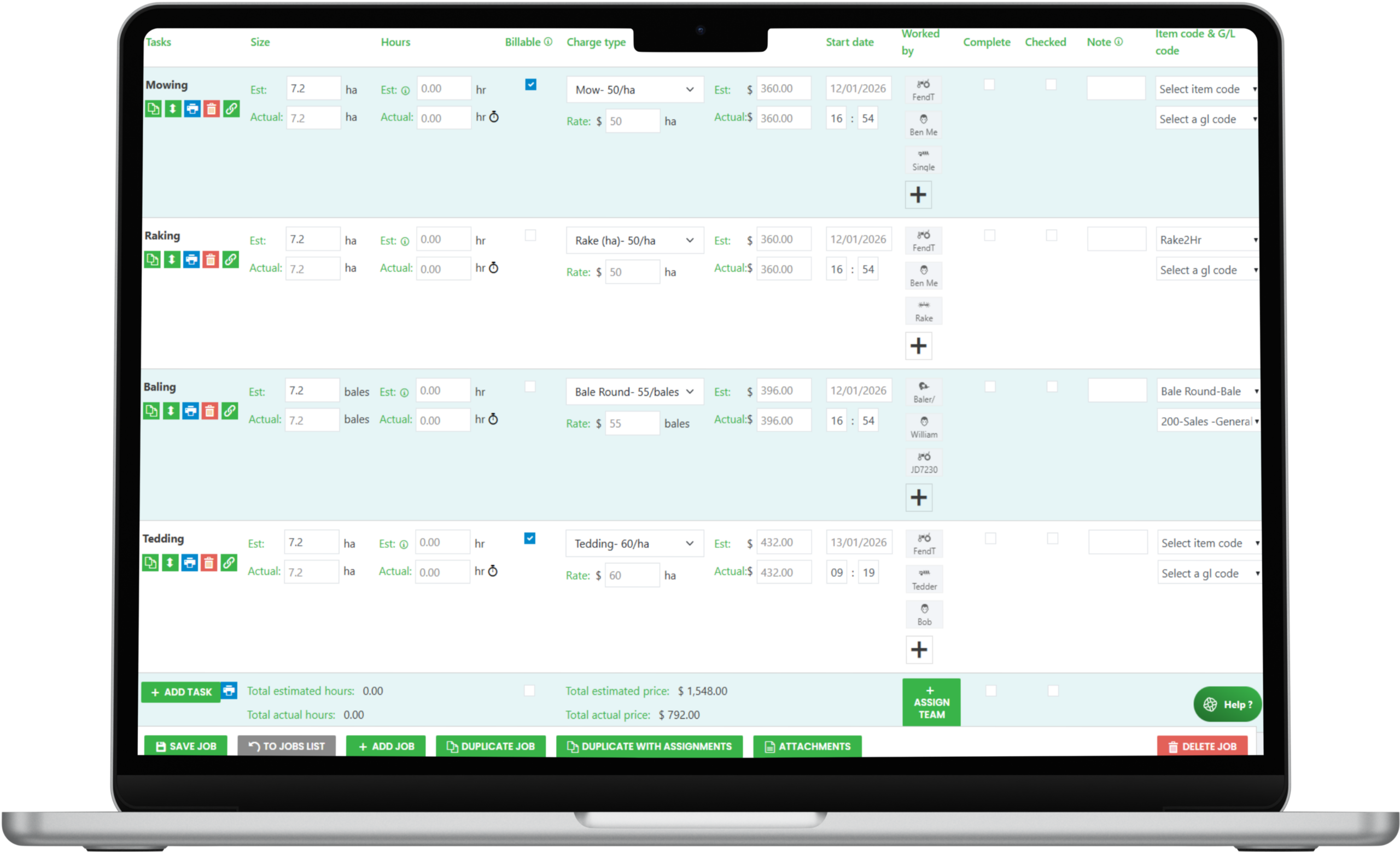
Break complex jobs into smaller, clear, billable parts — each with its own operator, machine, and charge-out rate. Perfect for multi-stage jobs like mowing, raking, and baling.

Product

Track every product or material used on a job, from chemical, wrap or seed. Stop undercharging and improve inventory accuracy.

Services

Bill for what was delivered — not just on size or time on site. Perfect for output-based work like bales made or silage delivered.

Spray Mix Actuals Recommendation

Send clear, pre-set spray mix instructions from the office to operators , ensuring the right product, rate, and paddock/block every time —removing guesswork and ensuring compliance.

Laptop Frame Screen Content

Scheduling

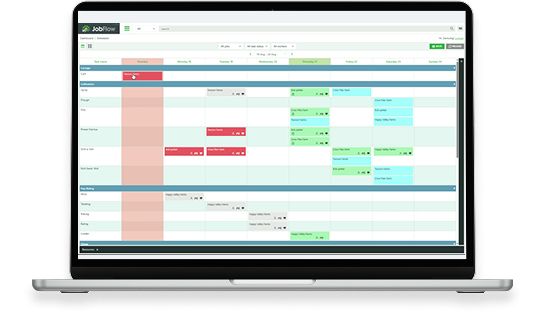
JobFlow’s live scheduling tool gives you total visibility. Plan jobs, Drag-and-drop operators and machines assignments, and make changes on the fly when the weather or priorities shift. Everyone sees updates instantly in the app, so everyone knows what’s next. — no whiteboards, no confusion, no wasted time. It keeps your team in sync and your operation running like clockwork.
Laptop Frame Screen Preview
Scheduling Icon

Scheduling

See your entire operation at a glance — who’s doing what, where, and when. Adjust easily as things change.

Assignments Icon

Resource Assignments

Assign the right people and machinery to each job quickly and clearly— no double-bookings or crossed wires.

Utilization Icon

Resource Utilization

See exactly how well your people and gear are being used — no more guessing where time or equipment goes.


Dockets

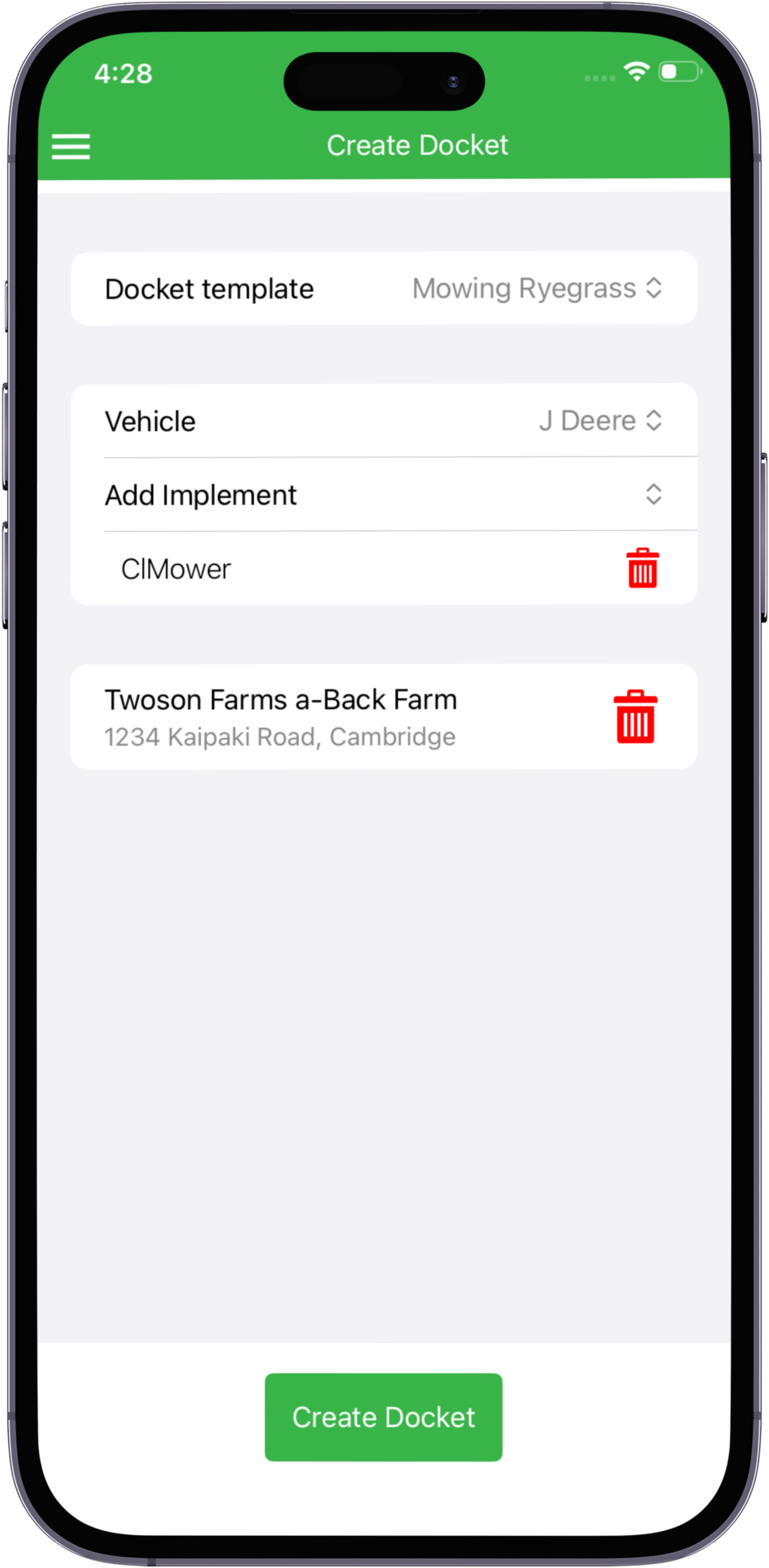
Dockets replace paper slips for one-off or quick-turn around jobs. Operators can instantly log unplanned work like an extra cartage load, a small repair, or an on-the-spot request from a farmer — right from their phone. The office sees it immediately, ready for billing. Nothing gets missed, nothing gets forgotten. It’s the fast, flexible way to capture real work as it happens.

Customer & Sites

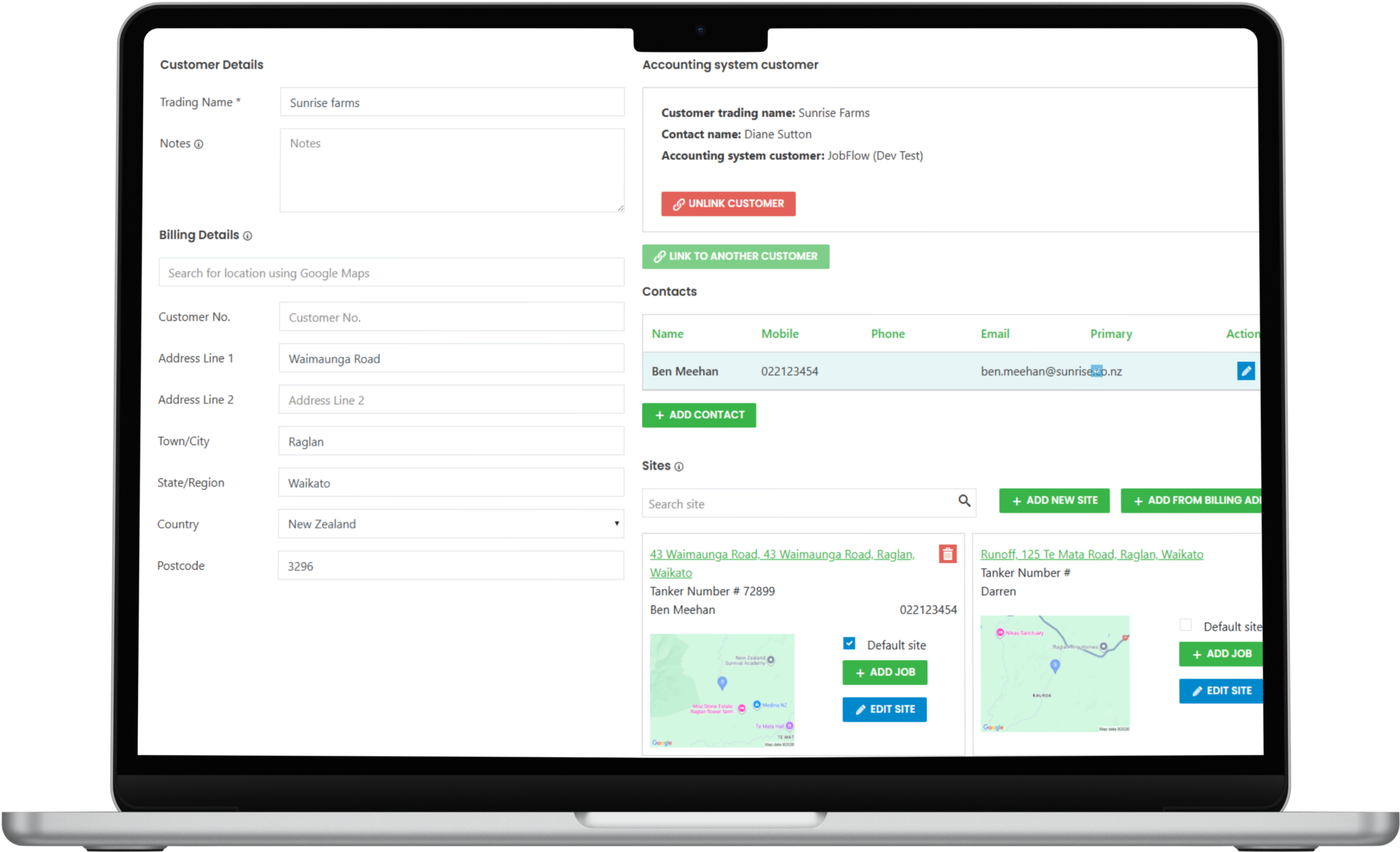
JobFlow centralises your customer database so every interaction is easy to track. You’ll have instant access to job history, invoices, and notes, whether in the field or office. It’s simple customer management that strengthens relationships and keeps your records clean.

Laptop Frame Screen Preview
Customer Icon

Customer

Manage all customer details, job history, and billing info in one place - no spreadsheets or chasing old emails.

Sites Icon

Sites

Visualise job locations with clear maps showing blocks, pins, and boundaries — so every operator knows exactly where to go.

Files Icon

Site Files

Keep maps, plans, and property documents stored with each site — not scattered across folders or devices.

We’re here for you, so let’s get to work